Certificate of Employment Template

Free Word template with sample data

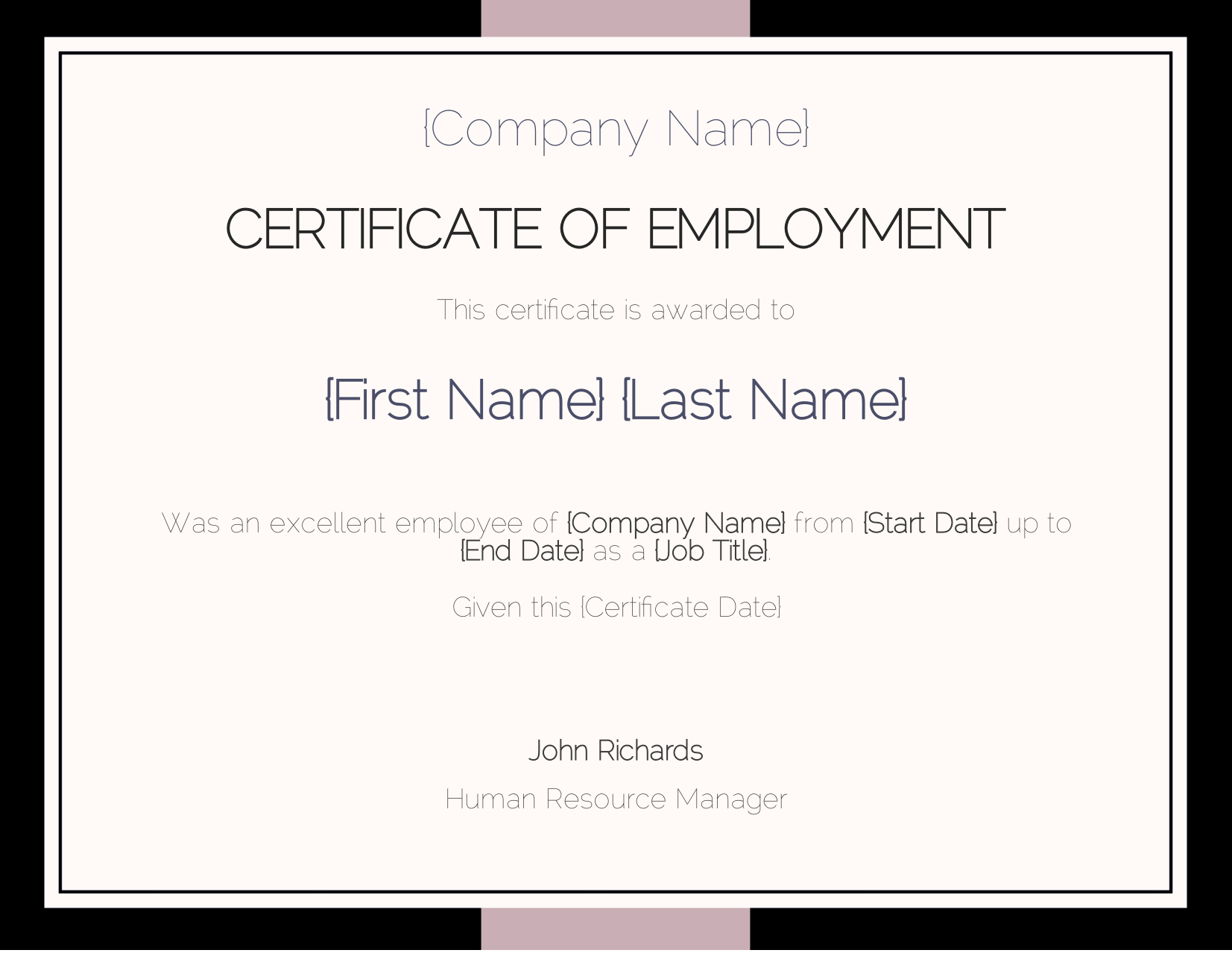
A certificate of employment that confirms a person worked for a company. It shows the employee, the job title, the start and end dates, the date the certificate is given, and the human resource manager’s signature. Download the Word file to adapt it to your organization, then generate a certificate for every employee.

  • Edit the certificate in Word, no special software needed
  • Add certificate generation to your app with our REST API
  • Automate via Zapier, Make, n8n & other no-code integrations
  • Generate certificates in batch from JSON or Excel data
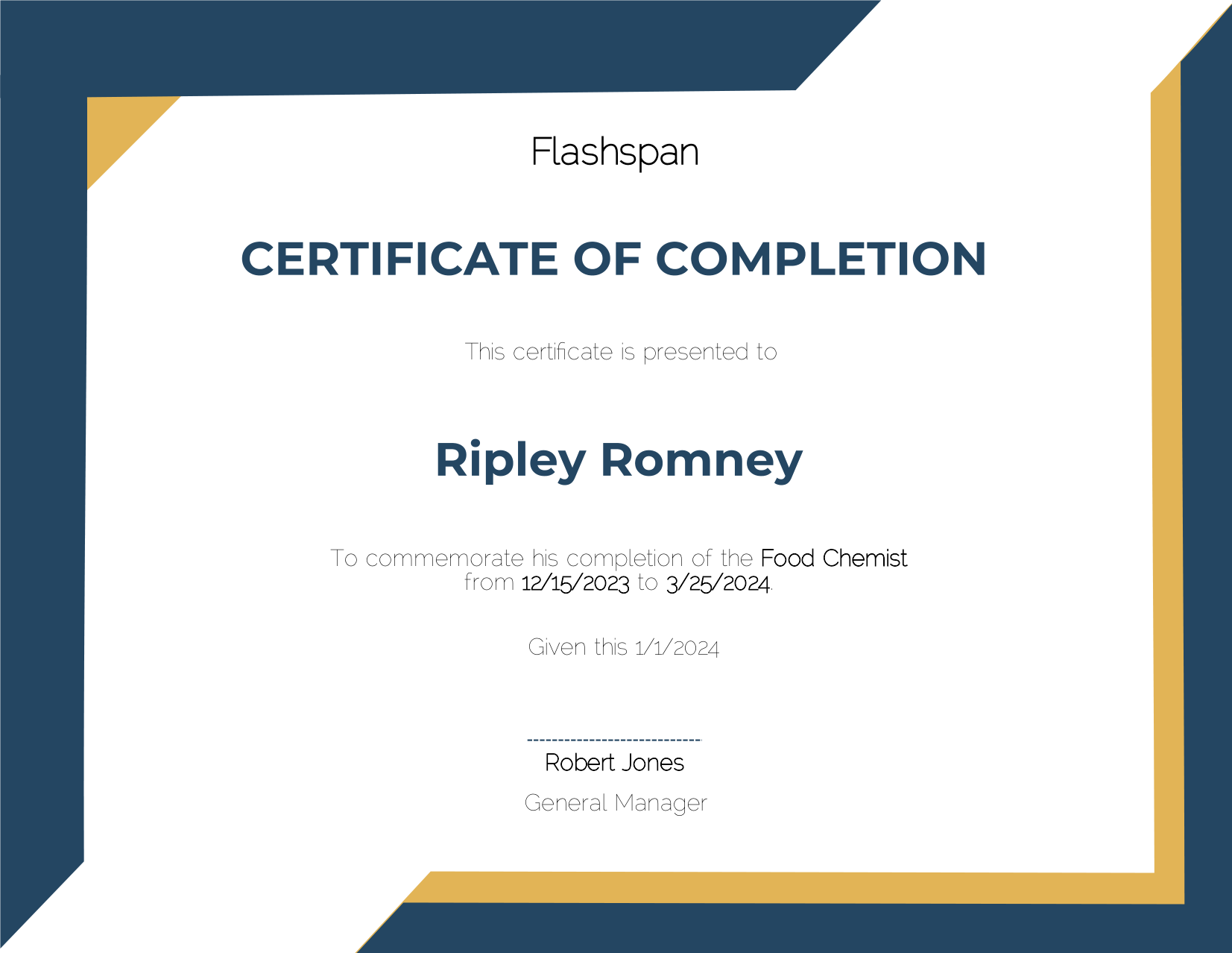
Certificate of Employment template, finished document Certificate of Employment template with merge tags
Developers

Generate Certificates With the API

Upload the certificate template, then send the structured data to get the finished document. Make sure to replace YOUR_API_KEY with your unique key and YOUR_TEMPLATE_ID with the ID of your template.

Send an array of JSON objects and get one document for each object, returned in a ZIP archive. Use the output_name parameter to customize each filename with the merge tags from your template.

Upload an Excel spreadsheet and every row becomes a document, with the column headers matching your merge tags. Use the sheet parameter to read a specific sheet from the Excel file.

curl -X 'POST' \
  'https://api.docugenerate.com/v1/document' \
  -H 'Accept: application/json' \
  -H 'Authorization: YOUR_API_KEY' \
  -H 'Content-Type: application/json' \
  -d '{
  "template_id": "YOUR_TEMPLATE_ID",
  "output_format": ".pdf",
  "data": {
    "Company Name": "Devpoint",
    "First Name": "Ambrosius",
    "Last Name": "Villar",
    "Job Title": "Actuary",
    "Start Date": "6/19/2024",
    "End Date": "3/28/2024",
    "Certificate Date": "12/29/2023"
  }
}'
curl -X 'POST' \
  'https://api.docugenerate.com/v1/document' \
  -H 'Accept: application/json' \
  -H 'Authorization: YOUR_API_KEY' \
  -H 'Content-Type: application/json' \
  -d '{
  "template_id": "YOUR_TEMPLATE_ID",
  "output_format": ".pdf",
  "single_file": false,
  "output_name": "Certificate of Employment {First Name} {Last Name}",
  "data": [
    { "Company Name": "Devpoint", "First Name": "Ambrosius", "Last Name": "Villar", "Job Title": "Actuary", "Start Date": "6/19/2024", "End Date": "3/28/2024", "Certificate Date": "12/29/2023" },
    { "Company Name": "Kimia", "First Name": "Viola", "Last Name": "Reppaport", "Job Title": "Analog Circuit Design manager", "Start Date": "6/9/2024", "End Date": "11/30/2023", "Certificate Date": "9/30/2023" },
    { "Company Name": "Tambee", "First Name": "Ariella", "Last Name": "Pillifant", "Job Title": "Speech Pathologist", "Start Date": "5/8/2024", "End Date": "3/15/2024", "Certificate Date": "12/24/2023" },
    { "Company Name": "Brainverse", "First Name": "Elissa", "Last Name": "Jesper", "Job Title": "Nurse Practicioner", "Start Date": "2/12/2024", "End Date": "1/25/2024", "Certificate Date": "11/12/2023" },
    { "Company Name": "Meezzy", "First Name": "Che", "Last Name": "Stace", "Job Title": "Research Nurse", "Start Date": "7/25/2024", "End Date": "1/5/2024", "Certificate Date": "2/12/2024" },
    { "Company Name": "Izio", "First Name": "Lazaro", "Last Name": "Mahon", "Job Title": "Computer Systems Analyst I", "Start Date": "10/24/2024", "End Date": "2/8/2024", "Certificate Date": "1/19/2024" },
    { "Company Name": "Kazu", "First Name": "Leta", "Last Name": "Shimman", "Job Title": "Teacher", "Start Date": "5/13/2024", "End Date": "3/18/2024", "Certificate Date": "11/6/2023" },
    { "Company Name": "Yabox", "First Name": "Stanford", "Last Name": "Stallen", "Job Title": "Compensation Analyst", "Start Date": "7/29/2024", "End Date": "12/24/2023", "Certificate Date": "9/11/2023" },
    { "Company Name": "Yodo", "First Name": "Cheston", "Last Name": "Shingler", "Job Title": "Programmer IV", "Start Date": "7/15/2024", "End Date": "3/22/2024", "Certificate Date": "11/30/2023" },
    { "Company Name": "Abatz", "First Name": "Cassey", "Last Name": "Leivers", "Job Title": "Programmer I", "Start Date": "3/4/2024", "End Date": "3/6/2024", "Certificate Date": "12/20/2023" }
  ]
}'

curl -X 'POST' \
  'https://api.docugenerate.com/v1/document' \
  -H 'Accept: application/json' \
  -H 'Authorization: YOUR_API_KEY' \
  -H 'Content-Type: multipart/form-data' \
  -F 'template_id=YOUR_TEMPLATE_ID' \
  -F 'file=@Certificate of Employment Batch.xlsx' \
  -F 'output_format=.pdf' \
  -F 'single_file=false' \
  -F 'output_name=Certificate of Employment {First Name} {Last Name}'
FAQ

Your Questions Answered

Questions frequently asked about our certificate templates

Download the template, adapt it in Word and upload it to DocuGenerate. Then send your data from a spreadsheet, the API or a no-code tool, and your certificates are generated automatically. Our guide walks you through every step. Learn more.
Yes. Instead of building each certificate by hand, send your data and every certificate is created with the right details for every recipient, whether you need one or thousands. Learn more.
Yes. Connect DocuGenerate to Zapier, Make, n8n or Pipedream to generate each certificate and email it to the recipient automatically.
Yes. Add a QR code tag that links to your verification page, generated from a unique code in your data. Learn more.
No. The data is transient. It is used for the merge and then discarded, never written to the logs or the database. The generated certificates are kept until you delete them.
Yes. Send your certificate data as JSON to the REST API and get the generated certificate back in seconds. SDKs are available for Node.js, Python, PHP, Ruby, Go, C#, Rust and Java, and every plan includes full API access. Learn more.
Sign Up

Start Generating Your Certificates

Get started with 20 free documents per month and our ready-to-use certificate templates.

Start Generating for Free
  • Free forever plan
  • No credit card required