You can view your account usage on the Account tab in the Settings page. The usage statistics are divided into two sections: monthly usage, tracking documents generated and templates, and concurrent documents, monitoring real-time document generation capacity.
Monthly Usage
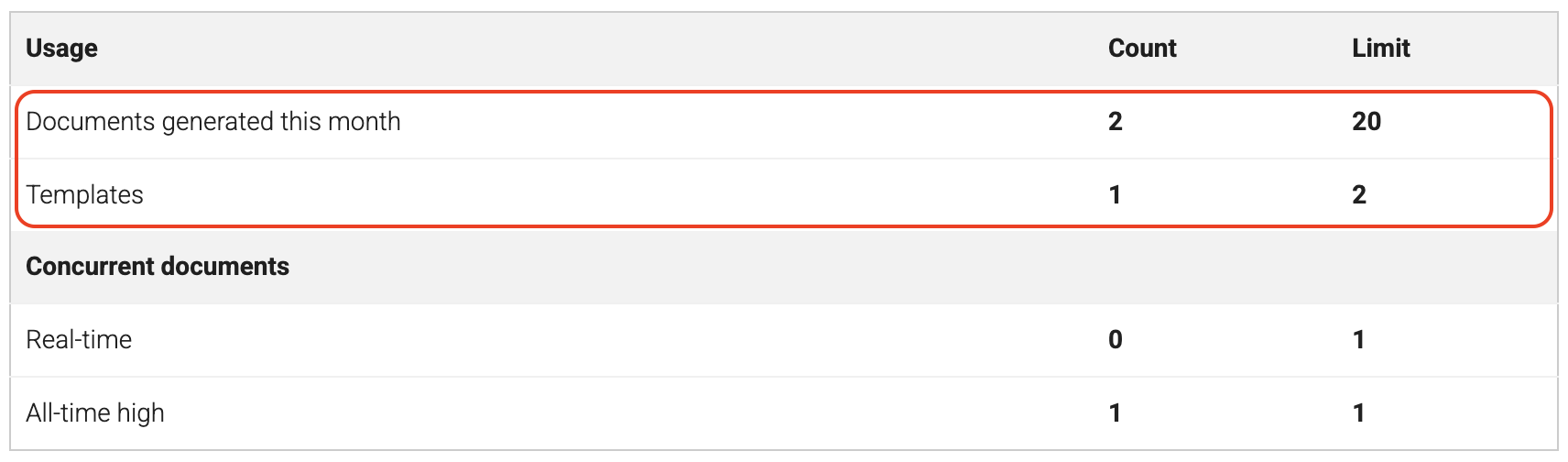
The first table section shows your monthly document generation statistics:
-
Documents generated this month: Shows how many documents you’ve generated in the current billing period. You can optionally set a maximum monthly document limit to control usage.
-
Templates: Displays the number of templates in your account and your plan’s template limit.
🆕 Concurrent Documents
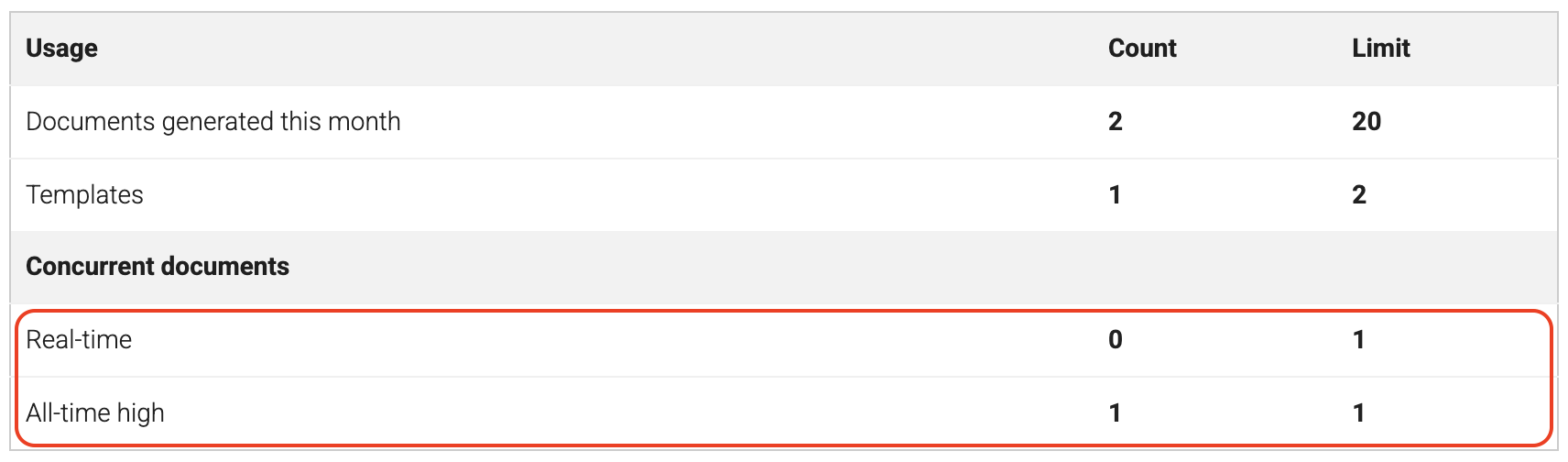
The second table section shows your concurrent document generation capacity:
-
Real-time: Shows how many documents are currently being generated across all of your templates.
-
All-time high: Tracks the maximum number of documents you’ve ever generated at the same time. This helps you understand if you’re approaching your concurrent documents limit and may need to upgrade your plan or increase your limit.