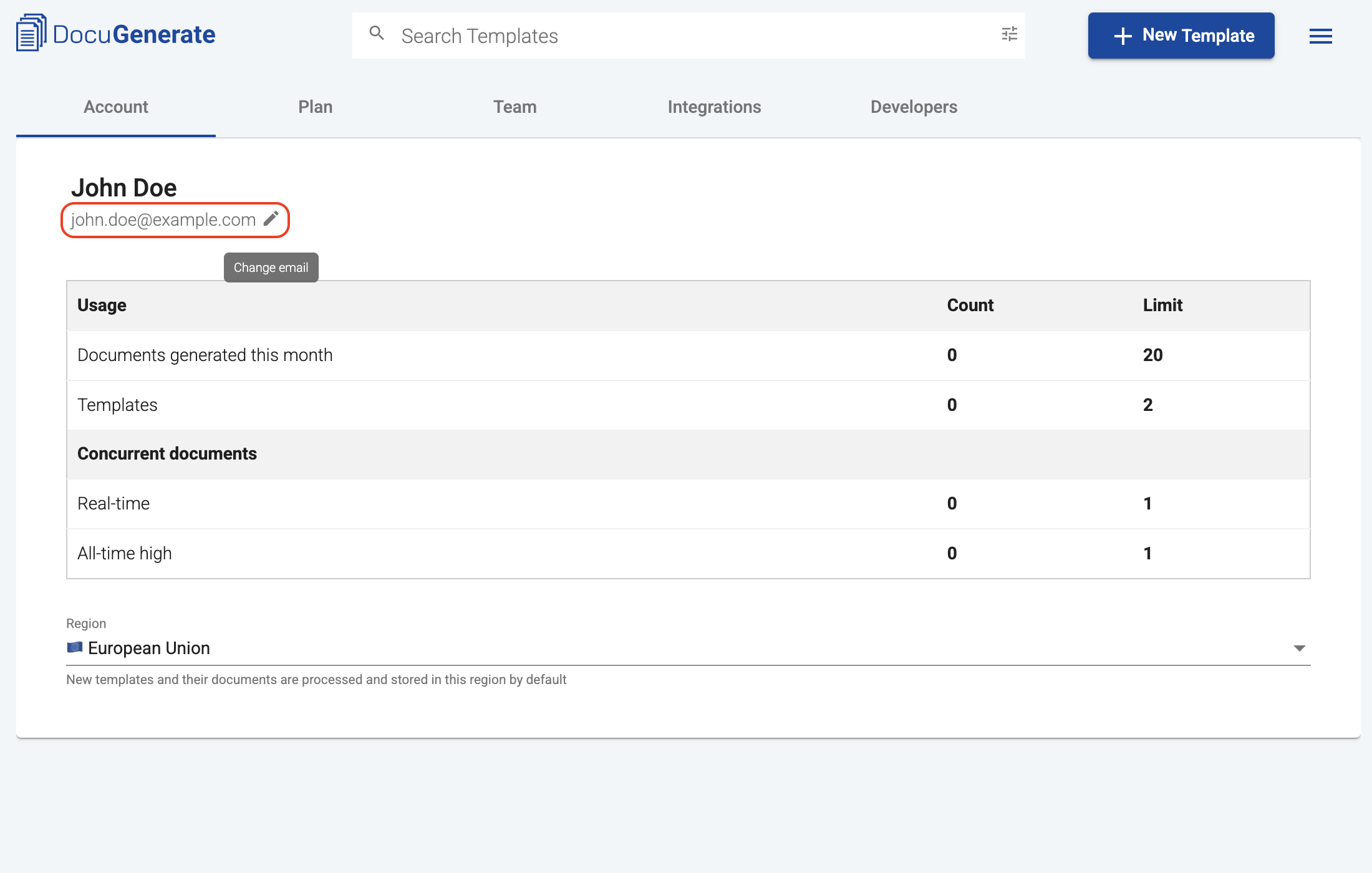
You can change the email address associated with your DocuGenerate account from the Account tab in the Settings page.
Hover over your current email address and click the edit icon to open the change email dialog.
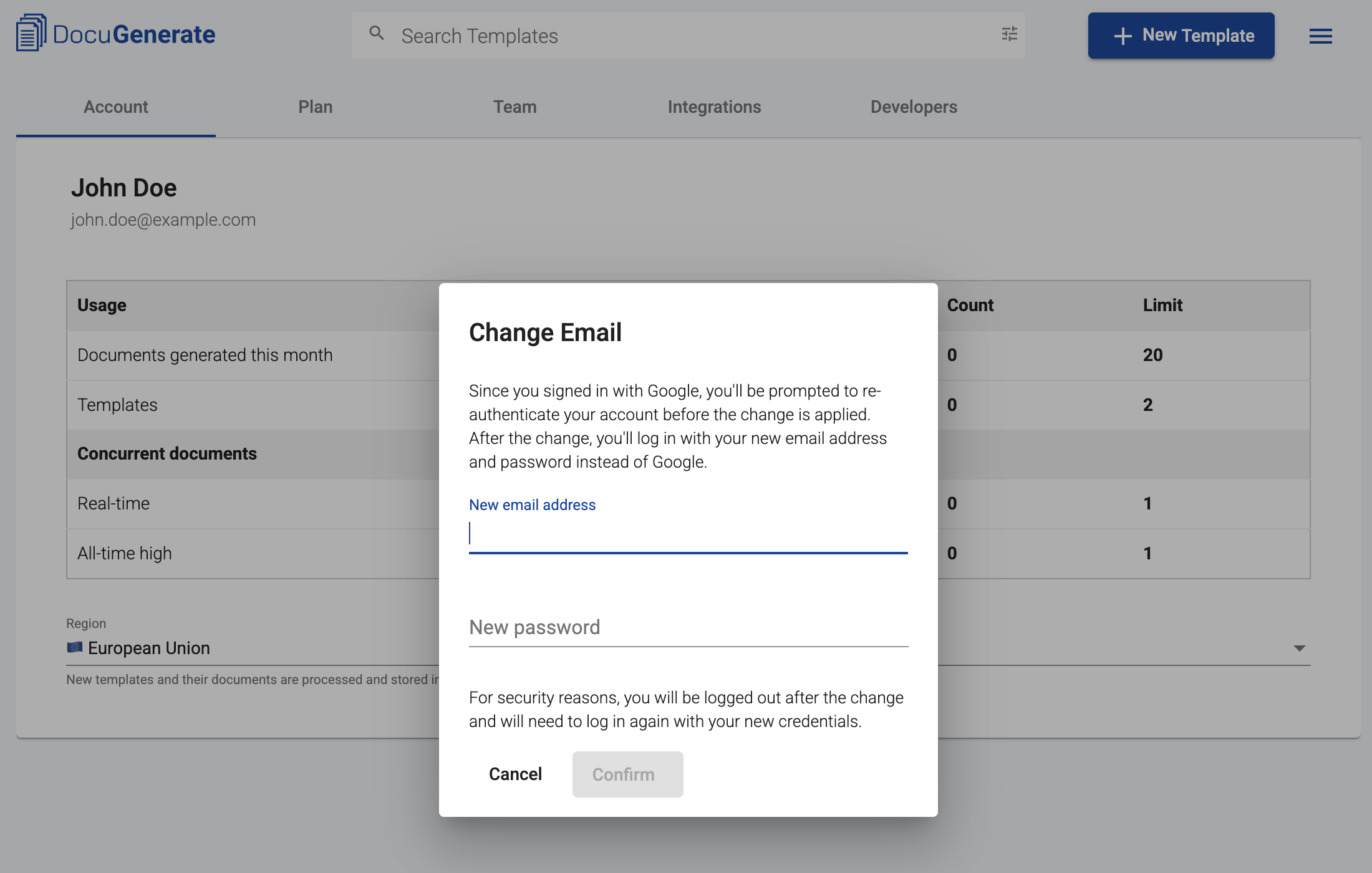
Enter your new email address and a new password, then click Confirm. For security reasons, you will be logged out and will need to log in again with your new credentials.
If you signed up with Google, you will be prompted to re-authenticate your Google account before the change is applied. Moving forward, you will log in with your new email address and password instead of Google.
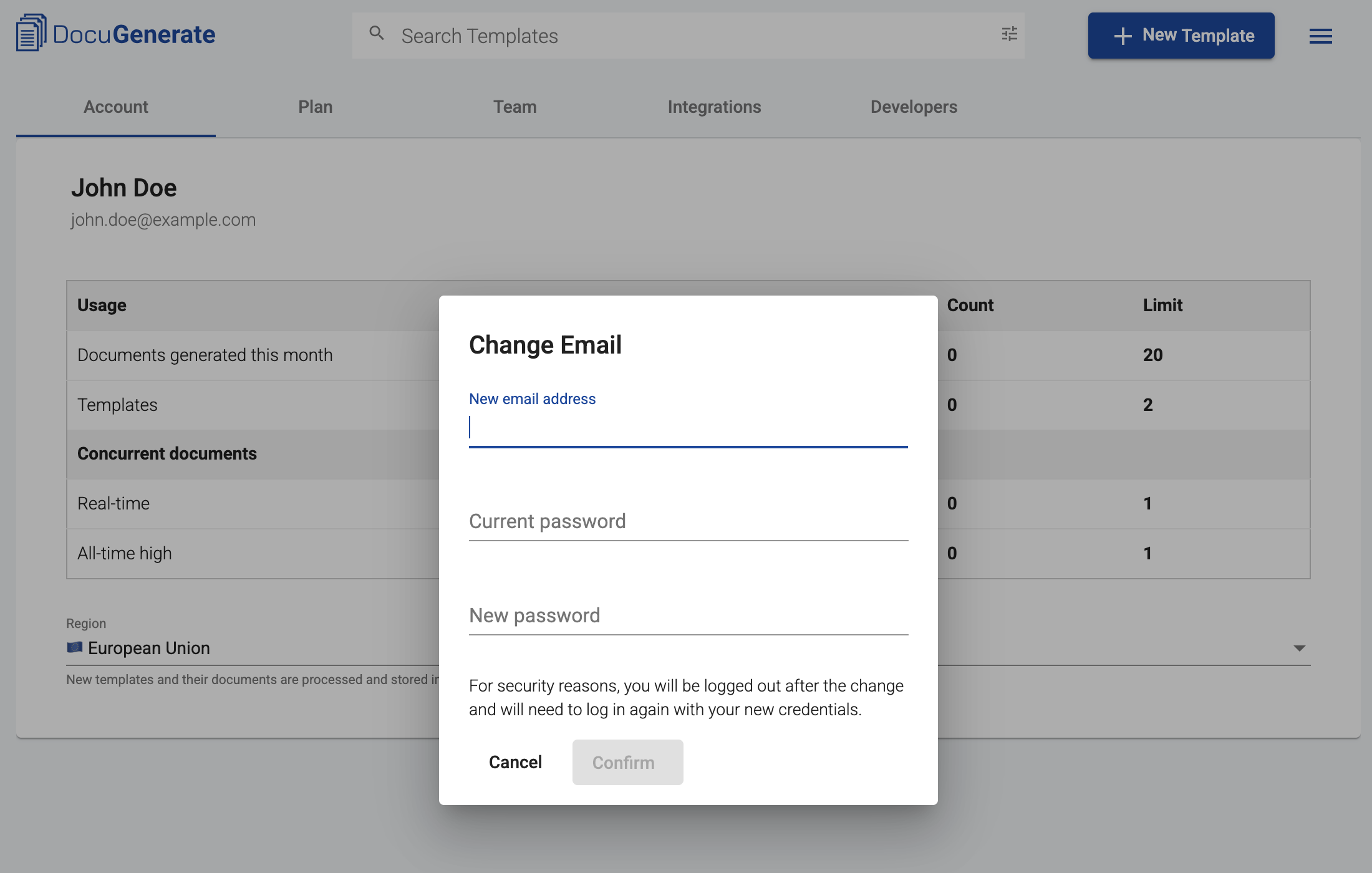
If you signed up with email and password, you will also need to enter your current password to confirm your identity before the change is applied.
If you have an active or previously cancelled subscription, your email address will also be automatically updated in Stripe.